360 feedback — configuration guide
For administrators preparing the module, questionnaire, evaluated population and contributor assignments. Daily participation is covered in Functional; implementation and authorization boundaries are in Technical.
Configuration ownership and generation
| Owner | Legacy | Redesign / nextgen |
|---|---|---|
| Project / platform team | Feature activation, role design, reporting relationships and notification/runtime dependencies. | No distinct 360 configuration implementation was established. Current navigation alone does not make the embedded workflow nextgen. |
| Customer administrator | 360 questionnaire, campaign information/type, participant selection, contributor assignments, participant add permission and notification planning where authorized. | No separate customer-admin wizard, settings precedence or migration was verified. |
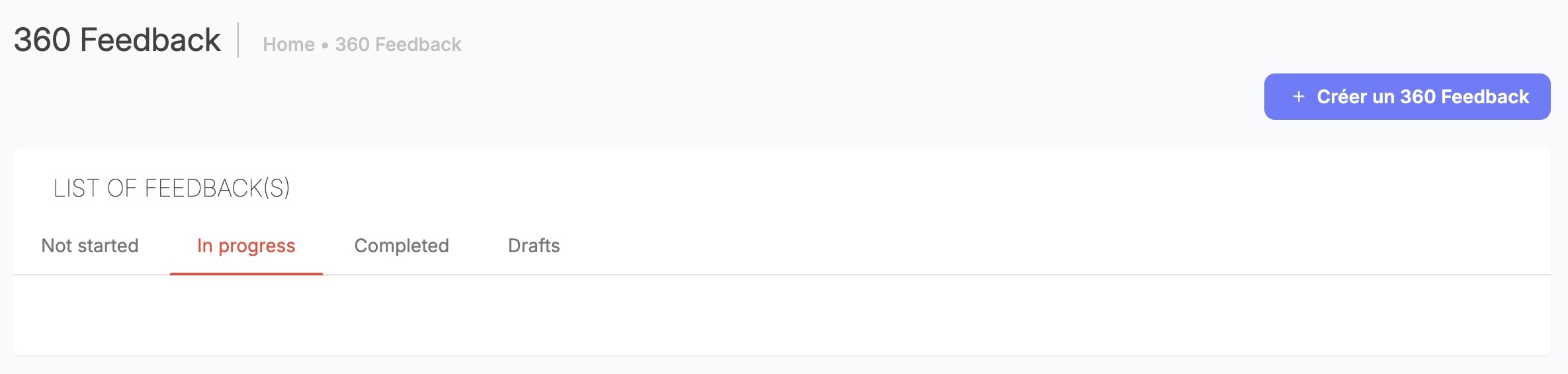
Open the campaign tab that matches its dates or saved status. Create a campaign only when you are ready to save its initial draft.
Project / platform team — legacy prerequisites
- Enable the campaign capability and the employee feedback entry appropriate to the tenant. Feature definitions include
module_feedback_bo(campaign module) andmodule_360feedback(employee feedback element). These are separate activation surfaces; ask the platform team to confirm the tenant's settings. - Establish manager/employee identities, enabled accounts and correct reporting relationships. Manager campaigns automatically derive contributors from these attachments.
- Design campaign administration and management-feedback visibility permissions. Check role scope with representative users before launch.
- Prepare notification templates, translations, sender configuration and the application's mail/runtime processing. Publication and adding reviewers can trigger mail; they are not harmless preview operations.
The 360 playbook documents the two module activations and recommends management-feedback visibility for Admin/HR. This is Documented in Confluence, not a mandatory role policy or proof of a deployed switch value.
| Code-defined permission/setting | Scope and effect |
|---|---|
interview_create | Controls the create link in the campaign template; empty permission objects have legacy fallback behavior. |
interview_all | Expands displayed campaign/participant scope in legacy templates. UI visibility does not determine every endpoint's authorization. |
show_manager_feedback | Management-feedback visibility branch, separate from employee campaigns. |
all_managers_filter | Expands the manager choices supplied to participant selection. |
module_feedback_manager_delete | Declared manager-delete feature; complete enforcement across deletion paths was not established. |
company_delegate_feedback | Declared automatic-delegation feature; delegate references appear in visibility templates. Assignment timing and full precedence were not traced. |
Feature catalogue source: fixtures/FeatureSwitchFixtures.php and config/configuration/feature_module.yml in the legacy repository. Changing these is platform-team work, not a customer administrator's campaign step. No universal on/off tenant defaults are asserted.
Customer administrator — legacy setup
1. Prepare the questionnaire
- In Questionnaires, create or open a template for 360 feedback. See Questionnaires.
- Complete its sections, questions, choices, required fields and visibility for the intended contributor audience.
- Review the saved template before assigning it to a campaign.
The expected result is a saved 360 template available in the campaign questionnaire picker. The picker lists templates for the current tenant and 360 type; templates from other modules are not available there.
The campaign questionnaire picker loads templates belonging to the current tenant with type 360. A template for another module will not be offered by that picker. The playbook lists section, message, short/open text, selection, choice and rating formats; its example forms are illustrative, not mandatory company criteria. Its historic rating advice does not establish a universal current scale limit.
The questionnaire picker does not itself copy the form into every reviewer assignment. Finalize the template before launch and review existing answers before changing a form used by a live campaign. Use an authorized sample campaign when validating a new template.
2. Create and identify the campaign
- Open Performance → 360 Feedback → Create when you are ready to create a campaign. The action saves a draft and opens the information step.
- Follow INFORMATIONS → QUESTIONNAIRE/ASSESSMENT → PARTICIPANTS → PLANIFICATION. Select the campaign type, complete the required information and keep Draft during preparation.
- Choose Validate to save each step and continue. Reopen the campaign summary and check its name, saved status and dates before inviting contributors or publishing.
The expected result is a campaign in Draft with the intended type, dates and questionnaire. Drafts are not available as published contributor assignments.
| Setting | Values, defaults and validation | Effect |
|---|---|---|
| Type | employee or manager; type selector appears when unset. The new-campaign popup initially highlights Manager; confirm Employees explicitly for an employee campaign. This initial highlight is not a saved type until confirmed. | Employee campaigns permit the selected employee population and manual contributors; manager campaigns target managers and derive enabled direct reports as contributors. |
| Name | New draft uses Feedback 360 #N; information input has a 50-character limit. | Campaign identification. Database capacity is not the same as the UI limit. |
| Description | Required by the client-side information validation; more than 254 characters is rejected there. | Explains purpose; database mapping allows 255 characters. |
| Start/end dates | Required in that form, day/month/year input. Server normalizes start to 00:00 and end to 23:59 in its default timezone. | Drives availability/grouping. No universal tenant timezone or complete server ordering validation was verified. |
| Status | Draft (brouillon) or Published (publiée); new campaigns are Draft. | Published status participates in contributor-list eligibility and email triggers. Date-derived tabs are not additional stored statuses. |
| Questionnaire | One tenant-owned type-360 template in the picker; no universal selection default. | Supplies questions for the reviewer assessment records. |
The header's Publish action saves the status selected in the form. Check the selected status and saved result before leaving the step. The legacy form collects dates and normalizes the start and end boundaries; confirm the displayed dates and timezone requirements with the platform owner for your deployment.
3. Select evaluated participants
- In the campaign wizard, open PARTICIPANTS → Add participants.
- Select the people to evaluate. Use search and column filters to find candidates, then review the selected list; filters do not add people.
- Choose Validate participants, review the selected people, and choose Validate to save and continue.
- Reopen the participant step or summary and confirm the intended participant count and names.
Employee campaigns list active employees in the tenant; manager campaigns list managers. Saving replaces the participant set, so people omitted from the submitted selection may be removed.
| Control | Choices, initial state and reset | Effect/example |
|---|---|---|
| Employee/name/email text search | Text; initially unrestricted by the table search. Clear text to broaden. | Narrows candidate rows, not existing campaign membership. |
| Manager | Single choice from permitted manager names, with an empty value. | Narrows the matching manager column; empty clears it. Available scope depends on permissions. |
| Contract | Available values depend on the tenant's employee data. | Searches the contract column; labels are organization-specific. |
| Job | Single choice from active tenant jobs; empty clears. | Narrow candidates by occupied job. |
| Region/organization | Single choice from the supplied top-level organization labels; empty clears. | Searches the associated column. Do not assume a recursive organization operator. |
| Qualification | Single choice from distinct gradings on enabled users; empty clears. | Narrows that column; no universal value list. |
| Role | Single choice from tenant permission titles; empty clears. | Searches displayed role values; does not grant roles. |
| Row / select-all checkboxes | Selection controls; existing membership feeds the selected list. | Inspect the selected list before validating. |
| Remove all | Selection action, distinct from clearing search. | Removing participants on save can cascade removal of their related records. Review impact before use. |
These controls use DataTables global/column search, with redraw on changes; text handlers include a delay. Different column searches constrain the same displayed table together. A dropdown is generally a column text search, not an exact ID filter; do not infer OR semantics from the layout. The selector initializes five candidate rows per page. Check the intended rows, choose Validate participants, review the selected list, then choose Validate to persist and advance to Planning. Selecting evaluated participants does not by itself assign contributors in an Employee campaign.
Saving participant membership removes existing participants omitted from the submitted list; submitting an empty list removes all. This is replacement behavior, not an additive import. Re-check selected participants independently of the current filtered page. For a manager campaign, saving also adds enabled users attached to each selected manager and removes disabled reviewer assignments. This does not prove continuous synchronization after every hierarchy change.
4. Assign contributors and optional participant control
For an employee campaign:
- Open the participant's feedback/contributor detail.
- Choose Add one or several contributors, search eligible users and review the selected list.
- Confirm the assignment. Reopen the participant detail and check that the intended contributors appear.
The service avoids duplicate assignments for the same participant and contributor. A person may still contribute to several different participants. Manager campaigns can derive contributors from reporting relationships when the participant set is saved.
The per-participant allow adding contributors checkbox persists FeedbackInterviewUser.canAdd. Mapping defaults for both campaign and participant canAdd are false; new participants copy the campaign value. The participant checkbox updates that participant, not a universal tenant policy. An enabled option exposes an add action in received feedback; it does not anonymize responses or grant campaign administration.
addManager is also mapped with default false; the participant-creation path uses it to add the direct manager. A customer-facing control to change that campaign flag was not established, so it is not presented as a verified UI step.
5. Plan and verify notifications
In PLANIFICATION, choose Schedule an email to open the email editor. Review the subject, sending date/time, recipients and content, then choose Schedule the email only when the message is ready. Cancel closes the editor without scheduling. Available recipient categories, initial values and message content depend on your organization.
Verified in code: location targeting requires send_targeted_email and participant-derived locations. Both new/edit templates wrap Conditions in display: none; the new form defaults to Non. Do not document completion conditions as a usable visible setup step. The hidden new-form completed/not-completed options also share the same value, so conditional delivery cannot be inferred from their labels. Scheduling persists Email records; delivery remains unverified.
Notification templates are a separate setup surface. The playbook points to Configuration → Notifications → email list and distinguishes manager-campaign launch from contributor addition. The reviewer service chooses templates by employee/manager campaign type and reviewer locale, with fallback to the first translation. A valid address, published campaign and requested send are prerequisites in that service; missing templates can stop sending. Scheduling and delivery depend on the organization's notification configuration.
Rollout, changes and troubleshooting
Review the questionnaire, both dates, type, selected participants and contributors before publication. Use a controlled sample campaign for validation through your normal authorized process. Check both manager and personal-space journeys. Disclose named feedback to contributors. No automatic migration, live-form freeze or undo process is established.
To defer an unlaunched campaign, retain Draft and review its dates. Returning a campaign to Draft affects published-list eligibility; it does not undo mail already sent or delete saved answers. Removing participants/reviewers may remove related records. Do not use deletion as a visibility toggle.
| Symptom | Check |
|---|---|
| No questionnaire choices | Tenant and 360 template type. |
| Wrong contributors in manager campaign | Reporting attachments, enabled users and when assignment synchronization last ran. |
| Expected participants missing | Candidate type, active users, manager scope, table search and selected list. |
| Missing employee entry | Employee feature activation and personal-space navigation. |
| Invitation absent | Published state, assignment, valid address, template/translation, runtime mail processing. |
| Settings are unavailable | Ask an administrator to confirm your campaign permissions. |
Implementation references and product boundaries
Verified in code: legacy src/Company/FeedbackBundle/Controller/DefaultController.php (newAction, interviewIndicatorsAction, updateAction, updateusersAction, canaddAction, interviewNotificationAction), Service/ManagerReviewersService.php, Resources/views/Default/{parameters,assessment,users,reviewers,notification}.html.twig, feature definitions, and src/Main/ConfigBundle/Resources/config/doctrine/FeedbackInterview*.orm.yml.
Documented in Confluence: 360 playbook, v1, 13 September 2023; anonymity FAQ, v4, 22 June 2026. Supplied PS methodology, v7, 30 December 2025, and onboarding, v9, 18 February 2026, were reviewed for context, not treated as configuration contracts. KBCT 2136702980 resolves to the product FAQ folder.
The active feature switches, tenant permissions, notification delivery, nextgen equivalence and recovery after deletion depend on deployment configuration. Ask the platform owner about workspace-wide settings and the campaign administrator about campaign-specific access.
Last updated on 3 November 2026