Succession Plan — functional guide
Succession planning records potential successors for an employee and the time they would need to become operational. In the legacy application, this is part of a People Review campaign: an individual succession question collects nominations, and a collective succession question brings them together. See Configuration for preparation and Technical for data and interfaces.
Before you begin
This guide is for authorized reviewers and campaign administrators. You need access to the Manager area, the relevant People Review campaign, and a questionnaire containing Succession plan. Collective comparison also needs Collective succession plan in that questionnaire and collective-review access.
Access succession planning through an authorized People Review campaign in the Manager area. Being the reviewed employee does not by itself grant access to the reviewer workflow.
Terminology
| Term | Meaning |
|---|---|
| Reviewed employee | The employee for whom succession is considered; one row in the campaign. |
| Successor | An employee selected as a potential replacement. A nomination is a planning record, not a job change. |
| Period / readiness horizon | A configured range in years, such as 0–2. These are examples, not universal defaults. |
| Individual review | The employee's form, where reviewers add successors. |
| Collective review | The campaign view that arranges nominations by employee and readiness period. |
Add a successor
Use the following steps to add a nomination and confirm that it was saved.
- In Manager area, open Performance → People Review. Select the campaign, using its status tab if necessary.
- On its summary, select Go to the review, then GO TO on the employee row.
- Find the configured succession question. Its columns show the readiness ranges defined in the questionnaire.
- Select Ajouter un successeur (the legacy screen mixes French and English). Search for the employee, select the returned suggestion, then choose Select.
- In How long ?, select a readiness period. Select Add successor. Without a period, the form displays Please select a period to continue.
- Wait for Successor taken into account and check the card in the correct column. Reopen the form to confirm that the nomination remains saved; a general answer-saved message alone does not confirm the successor was added.
- When the individual review is ready, use Je termine and review the confirmation The review will be considered as carried out. Confirm with Yes, I validate only when ready to complete that employee's review.
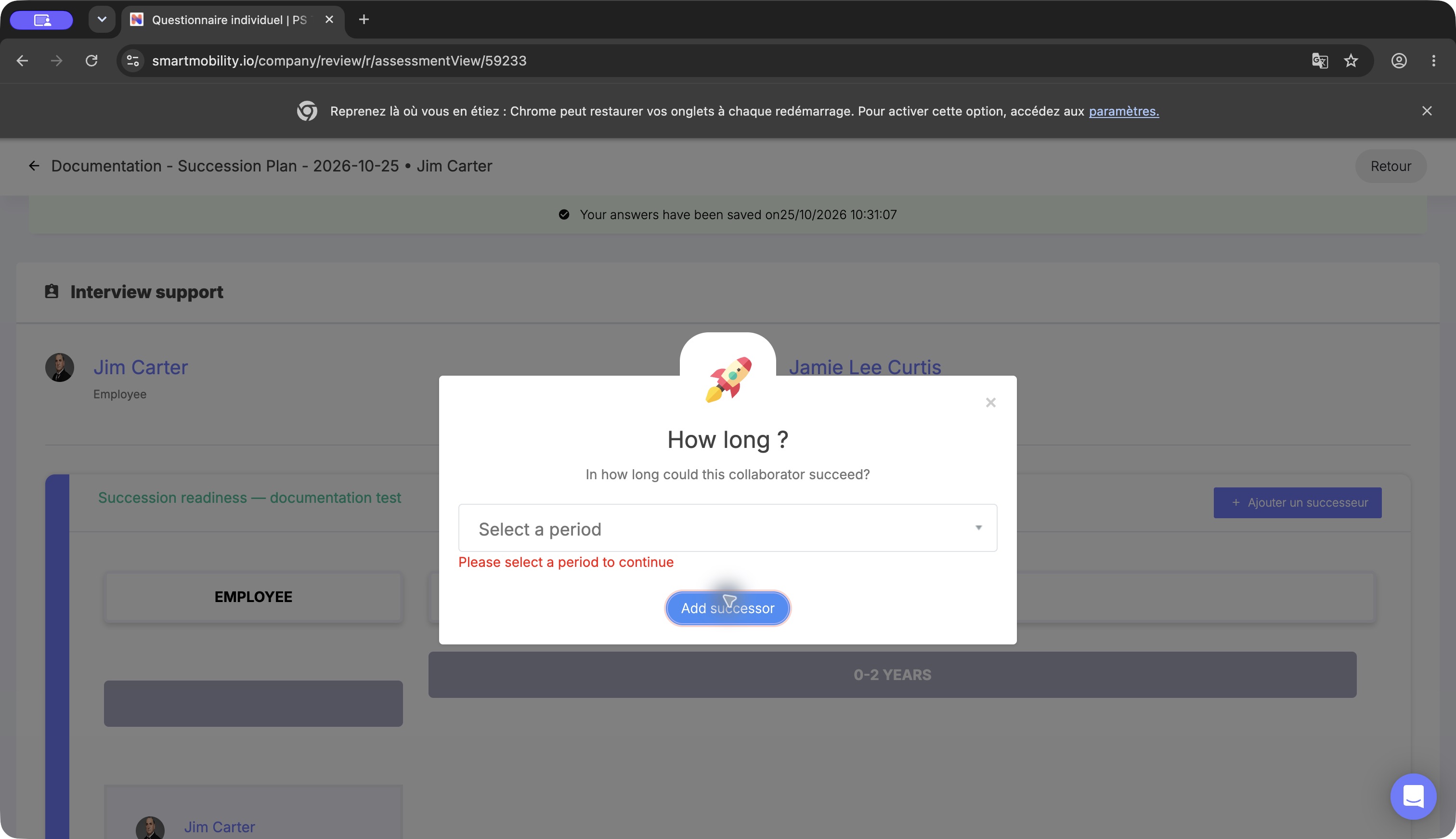
The successor dialog requires a readiness period before Add successor can continue. Choose the intended horizon, then add the selected person.
Compare and calibrate collectively
The campaign's reviewer table provides Access to collective review when you are authorized. The collective succession tab displays reviewed employees, readiness periods and saved successor cards. A link to a development plan may appear where that workflow is configured.
- Return to the campaign's reviewer table and choose Access to collective review.
- Open the tab named after your collective succession question.
- Compare the successors in each employee/period cell. Verify the person and the readiness period together.
- If enabled, move a card to the intended employee and readiness-period cell, then confirm its placement.
- Use the card's delete action only when removal is intended and confirmed.
- Use I finish when the collective review is ready to close. Campaign completion is separate from any individual signature or report.
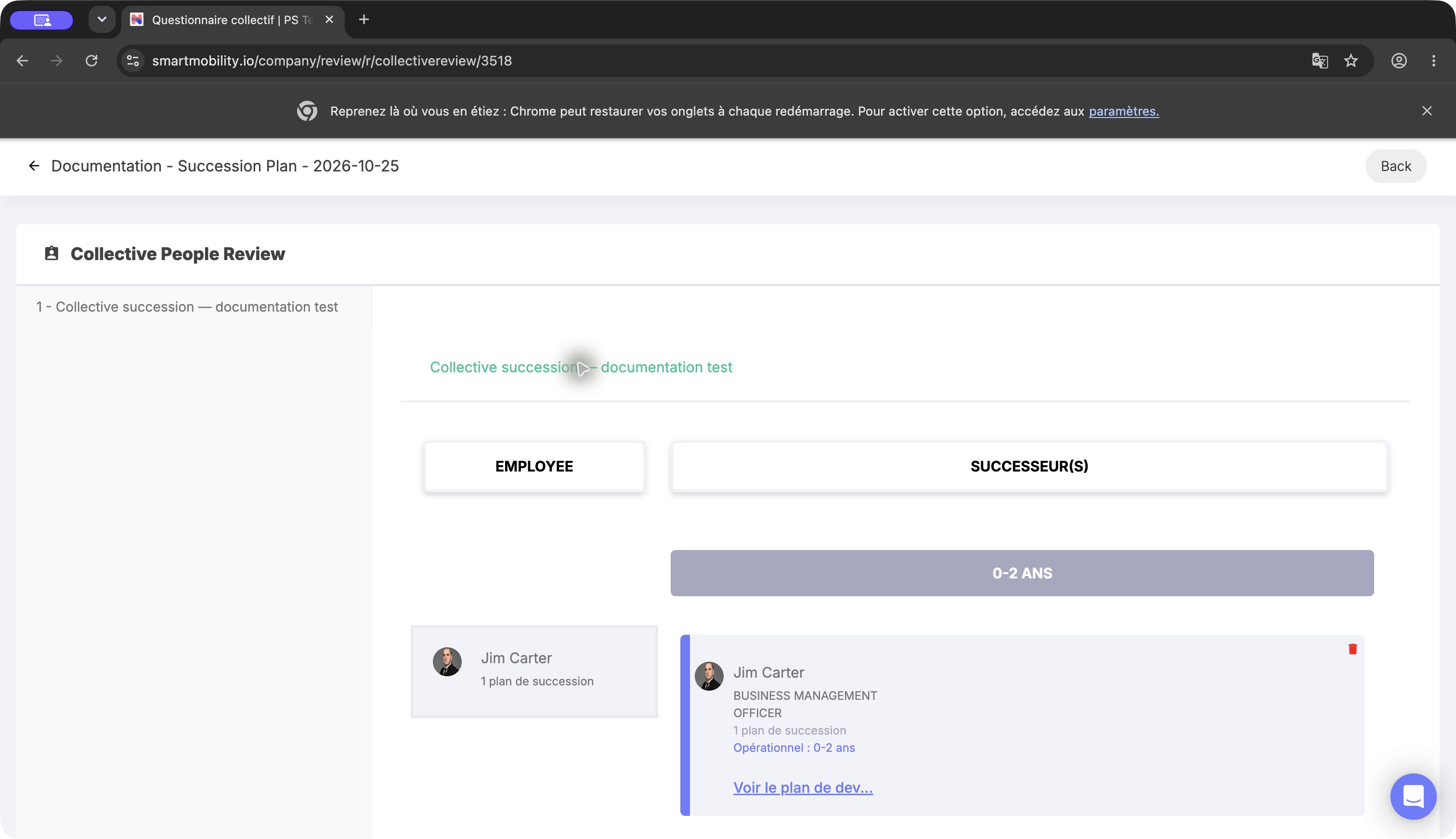
The collective view places a successor card in an employee/readiness-period cell. The demonstration card is not a real succession recommendation; review each nomination in its organizational context.
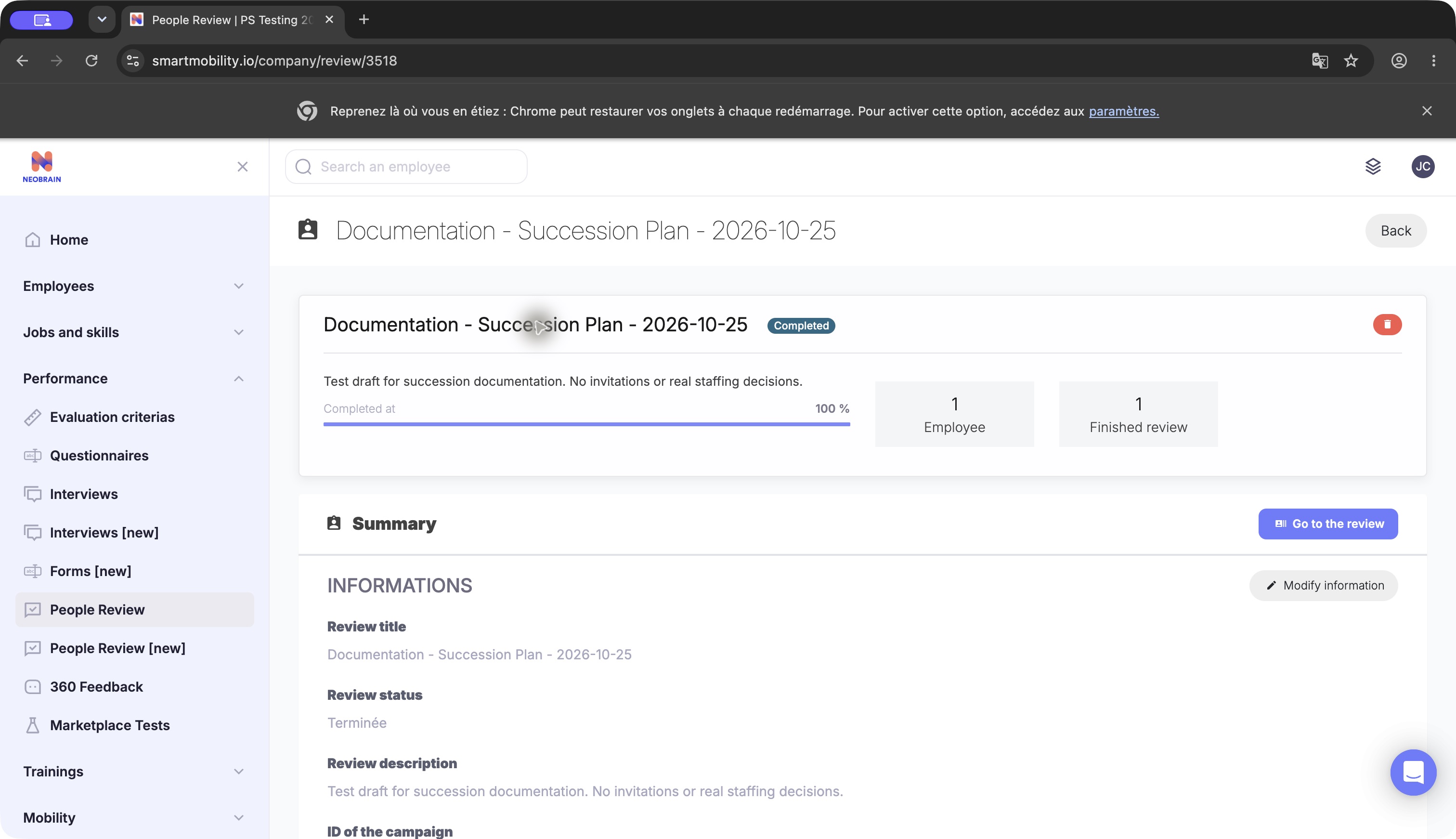
The campaign summary shows the completed status and review progress. Use the detail action to consult campaign records; completion does not by itself generate a PDF or email.
Business rules and permissions
Nominations are associated with a campaign and reviewed employee. Selecting a successor records a planning proposal; it does not change a job, send an offer or automatically create a development plan.
Individual access depends on company context, campaign relationships, reviewer/admin membership and rights such as review_all and can_review_himself. Collective access accepts the campaign administrator, master administrator or a user with review_all. These are distinct from being a candidate. See Configuration.
Legacy and redesigned behavior
The standalone redesigned Succession Plan screen may be available in some deployments. Confirm that its create and save actions persist before using it for operational planning; the legacy People Review journey remains separate.
FAQ and troubleshooting
| Symptom | Check / action |
|---|---|
| No Succession Plan menu | Use the authorized People Review path where enabled. Menu absence alone does not prove the module is unavailable in every persona. |
| No succession question | Confirm the campaign has the correct People Review questionnaire and that it contains the individual question. |
| No period or incomplete columns | Have the administrator check every configured lower/upper bound before collecting nominations. |
| Search cannot resolve the person | Select an actual suggestion from the employee search. The save handler resolves the employee within the campaign's tenant. |
| Save banner but no successor card | Wait for the successor-specific confirmation, then reopen the form. Report an error if it is absent. |
| No collective access | Check campaign administrator/global review rights and the collective question. Do not change account to work around access. |
| Readiness needs changing | Use the authorized collective workflow; reassignment can also change the employee being succeeded. |
Interface generation
The standalone redesigned Succession Plan screen may be available in some deployments. Confirm that its save action completes before relying on it for operational planning; the legacy People Review journey remains separate.
Last updated on 3 November 2026