Development plans — legacy functional guide
Legacy: create an objective
- In Personal space, open Profile → Development plan.
- Choose Add an objective.
- Complete Name your goal and For when?. Use the calendar to avoid ambiguous date formats.
- Optionally explain the need in Why do you want to develop this objective?, choose an Associated period, and select skills from Skills of your position or Skills of your career plan.
- Choose Create and check the new card, deadline and initial To do status.
- Reload, reopen the Development plan tab, and verify persistence before retrying a save.
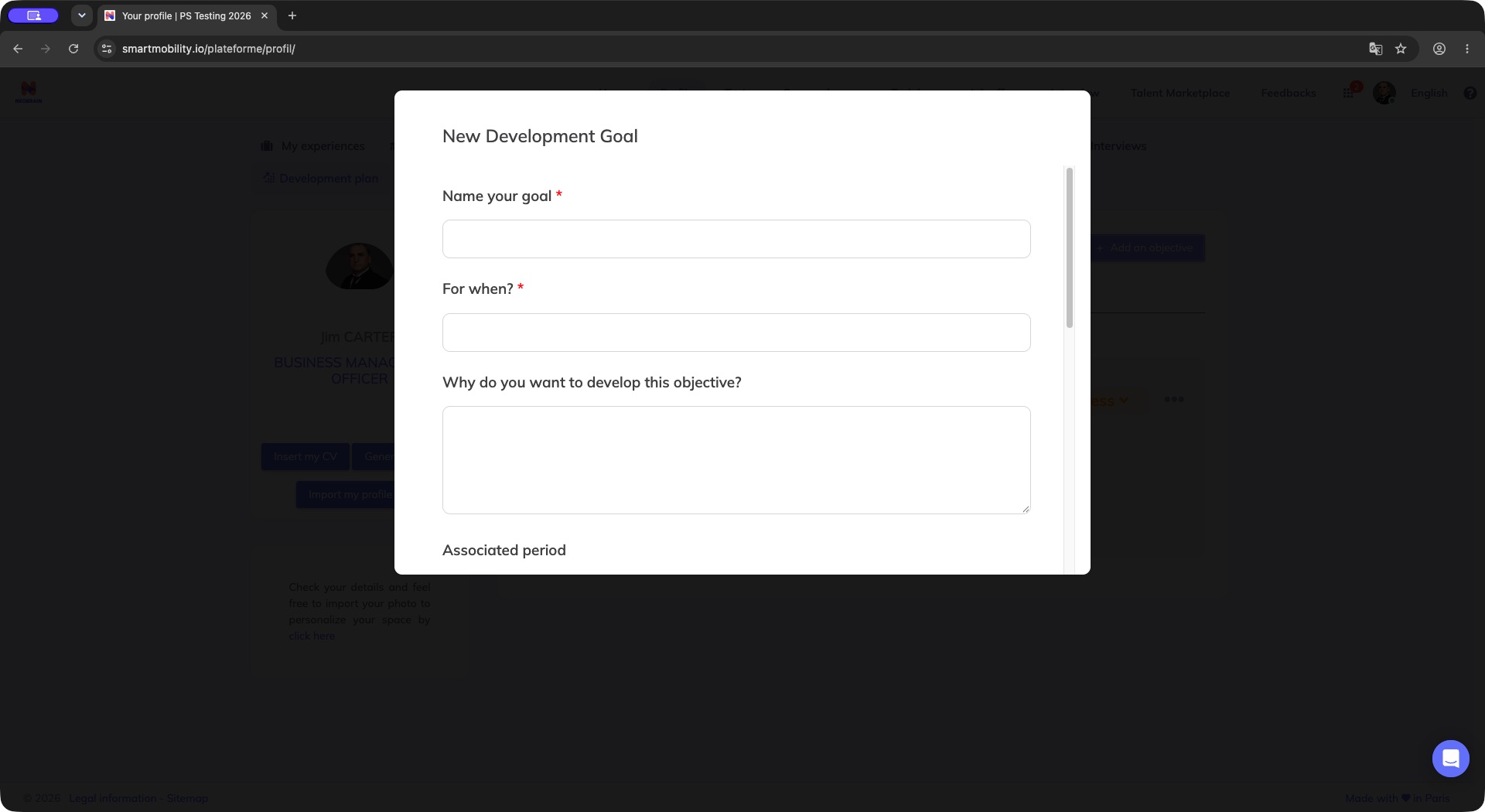
The legacy objective dialog asks for a goal name and deadline, followed by optional explanatory fields. Complete the required fields and review the lower options before Create; the form itself is not a saved objective.
The objective name and deadline are required. Description and period fields may be optional according to the form configuration; follow any limits shown by the form.
Legacy: track actions and progress
- Change the objective's status using its menu: To do, In progress, Done.
- Choose + Add action on the intended objective.
- Select an available action type and enter the action text, then choose Add action. Action types are defined by your company.
- Expand the completed-action counter if needed. Check a task to mark it complete; verify the counter and reload to confirm persistence.
- Use the objective menu to access the maintenance operations available for your role.
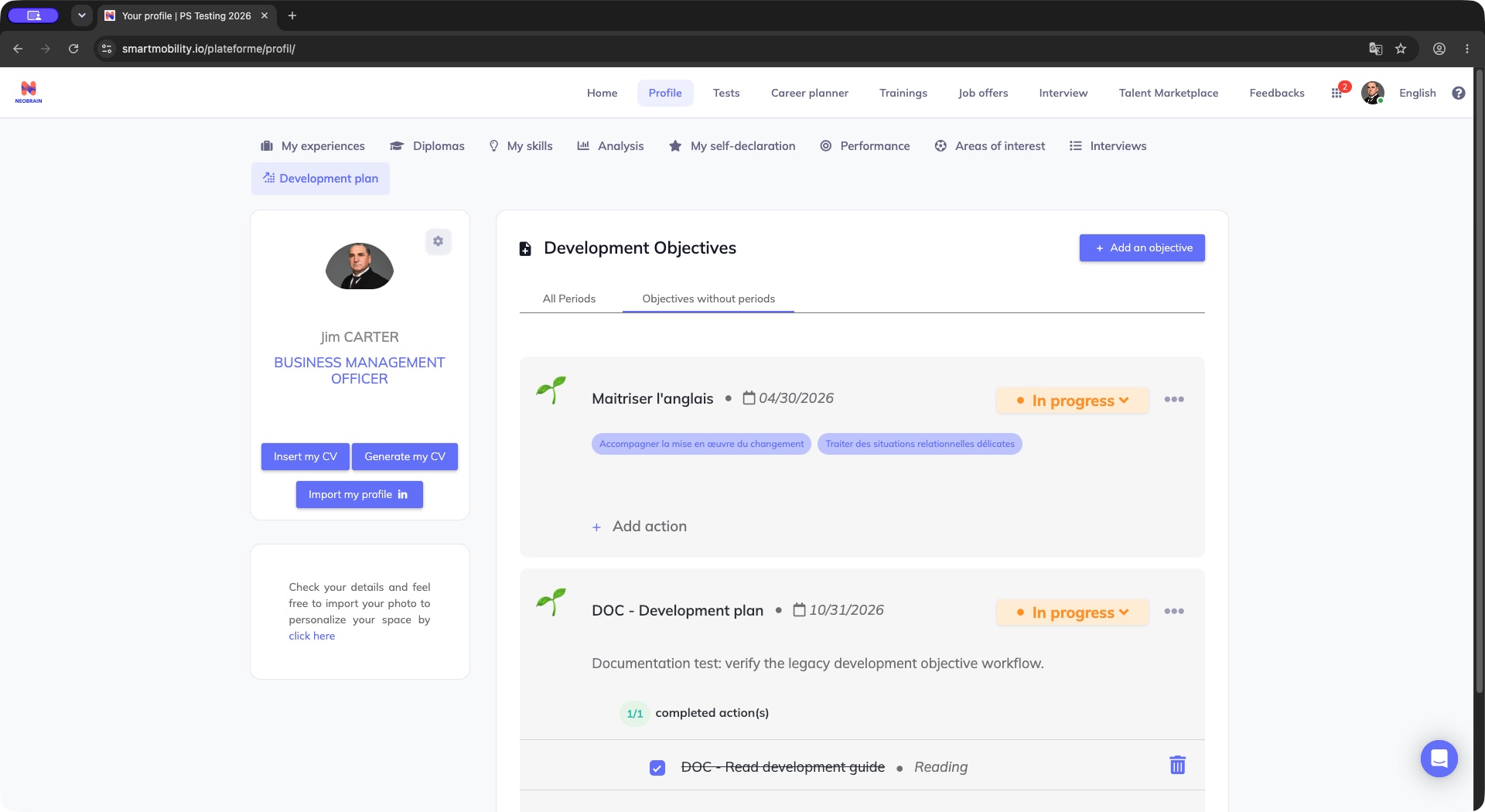
The objective card shows In progress and a completed Reading action. Use the card to follow the objective and its actions separately: completing an action has not automatically marked the objective Done.
Objective progress and action progress are separate: completing an action does not automatically mark the objective Done.
Last updated on 3 November 2026